Release Notes

2.3.0#

This release introduces expanded scope and certificate management capabilities, and enhanced audit and history comparison views. It also delivers improvements to search flexibility, responsive filter layouts, and form validation, alongside fixes addressing wizard flow accuracy, permission consistency, UI rendering, and data integrity across listings and configuration workflows.

New features#

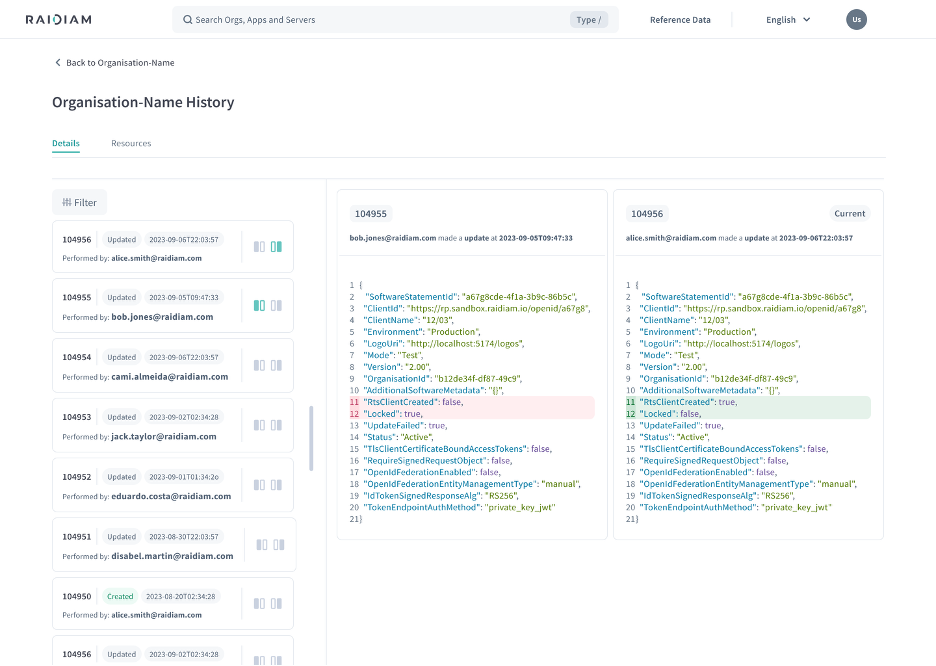
Application change history and audit comparison view

A new audit history view for Applications allows users to compare changes between selected versions. When comparing non-sequential versions, an alert informs users that intermediate changes may not be reflected in the diff. Tabs for upcoming features such as certificates, flags, and roles are visible but marked as coming soon with informational tooltips.
Filter authorisation servers by active status

A new 'Show active servers only' toggle is available on the authorisation servers list page, consistent with the equivalent filter on the applications page. Users can quickly focus on active servers without manually scanning inactive entries.

Audit view adds resource navigation switcher

The audit interface now includes a primary switcher that allows users to navigate between resources and their associated audit items. This makes it easier to move between related audit records without leaving the current view.

Enhancements#

Responsive filter layout across screen sizes

Filters across Organisations, Certificates, and Applications pages now adapt to the user's screen size. On mobile, filters collapse into an icon displaying the count of active filters; on larger screens the full filter bar with applied filter tags remains visible. The filter layout on the Organisations list page has been realigned to match the consistent layout used across other pages.

Email format validation on user registration

Email addresses are now validated when registering new users in the directory. Invalid email formats are rejected at the API level, and the UI surfaces a clear error message to guide users toward a valid entry.

Search endpoints accept duplicate query parameters

All array-type parameters on /search endpoints now accept both duplicate query parameter syntax (e.g. status=Active&status=Suspended) and the existing comma-separated value syntax. Both formats remain fully supported, ensuring backwards compatibility for existing integrations.

Service desk scope returns contacts at all visibility levels

Clients authenticating with the directory:servicedesk scope can now retrieve contacts across all visibility levels in the directory. Previously, visibility restrictions limited the contacts returned to this scope.

Global search supports registration number and parent organisation

The global search bar now supports searching organisations by registration number and parent organisation reference ID. Users can locate organisations more precisely without needing to know their display name.

Bug fixes#

Fix premature success modal in application wizard

The application created success modal no longer appears when a user dismisses the logo upload dialog during the application creation wizard. The modal now displays only after the user explicitly clicks Skip and Done, ensuring the confirmation message accurately reflects completion of the flow.

Fix domain user enable/disable role validation

The enable action for a domain user is now correctly disabled when the associated role is inactive, preventing invalid state changes. Users who attempt to re-enable a domain user whose type has been deactivated in Reference Data now receive a clear, human-readable error message instead of a generic system error.

Fix low-contrast info message in simulator consent flow

An informational message displayed during the consent flow in the workbench simulator previously rendered with insufficient background contrast, making it difficult to read. The message background has been corrected to meet accessible contrast requirements.

Fix incorrect 'Family complete' flag for Open Data APIs

The 'Family complete' indicator on the authorisation server page incorrectly displayed as false for Open Data API families even when all required endpoints were present and active. The evaluation logic now correctly treats a single active endpoint as sufficient to mark an Open Data family as complete.

Fix sort order on authorisation domain authority listings

A regression in authority list sorting caused the API to misparse sort parameters, returning results in an incorrect order. Sort behaviour for authority listings now works correctly and is covered by automated regression tests.

Fixed duplicate requests on Data Admin and TnC pages

Duplicate network requests were being triggered when navigating to the Data Admin and Terms & Conditions pages. This has been resolved to ensure each page load results in only the expected number of requests.

Fixed incorrect logoUri on server edit dialog

A spurious parameter was being appended to the logoUri when opening the edit dialog from the server details page. This has been fixed so the correct URI is displayed and submitted for organisations, applications, and servers.

Fixed table content alignment and column responsiveness for certificates

Table headers were incorrectly left-aligned instead of following the intended alignment standard, and the KID column was being squeezed unnecessarily. Column widths and alignment have been corrected for improved readability.

Fixed missing error message when disabling an in-use Domain Mapping

When attempting to disable a Domain Mapping that was still in use, the UI was not displaying the error returned by the backend. The error dialog now correctly lists active roles and organisations associated with the domain being disabled.

Fixed 'Show only required fields' toggle in IDP Configuration wizards

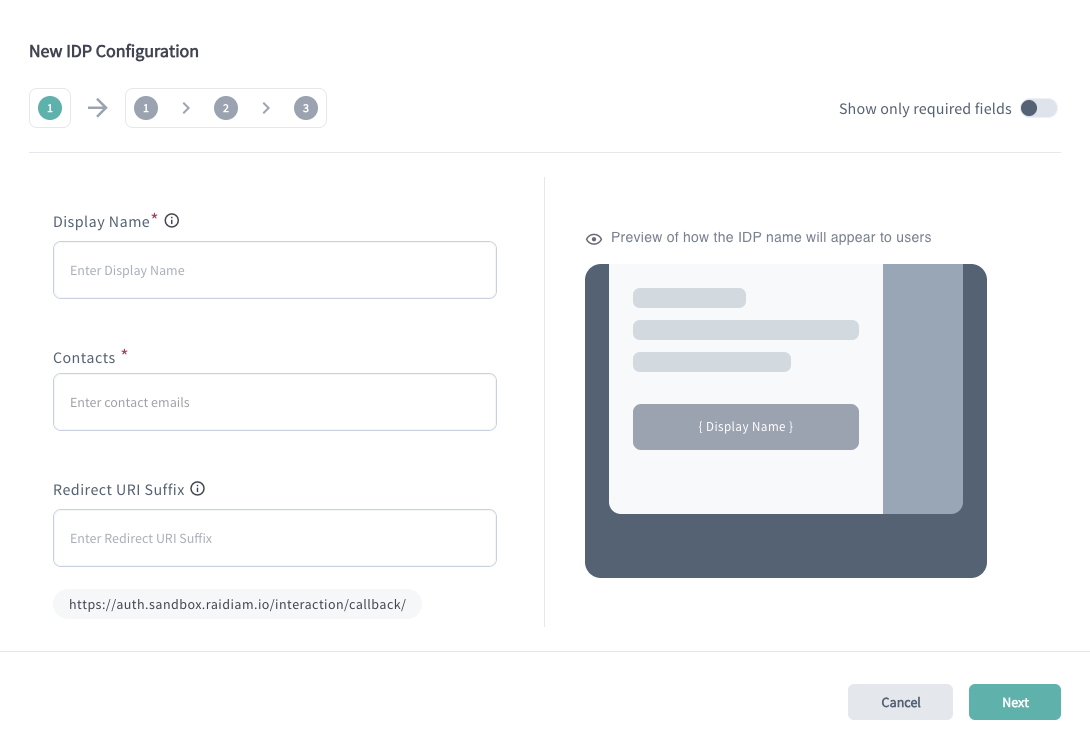
The toggle to show only required fields was not functioning correctly in the New IDP Configuration and New Version wizards. Non-required fields are now properly hidden or shown based on the toggle state, and validation behaviour is consistent regardless of field visibility.

Duplicate authorities removed from New Role dialog

The Authority Name dropdown in the New Role dialog no longer displays the same authority multiple times. Authorities are now deduplicated correctly, even when multiple domains are mapped to the same authority.

API family edit now uses correct version format

Editing an API family via the three-dot action menu now correctly applies major-only version formatting for brands configured with integer-only versioning. Previously, the edit wizard incorrectly displayed major.minor version strings for all brands regardless of brand configuration.

Auth server auto-onboarding SNS subscription repaired

Auth server auto-onboarding was incorrectly subscribing servers to the wrong SNS topic, causing onboarding endpoints to receive webhook notification messages in an incompatible format. This is now corrected so that software statement update notifications are delivered to the right topic and endpoint.

2.2.0#

This release introduces new server role management, improved onboarding validation flows, and expanded audit access capabilities. It also delivers a range of usability and interface improvements including responsive search, scroll-to-error behaviour, and updated design components, alongside fixes addressing search feedback, metadata schema handling, and permission consistency.

New features#

Directory Version Display

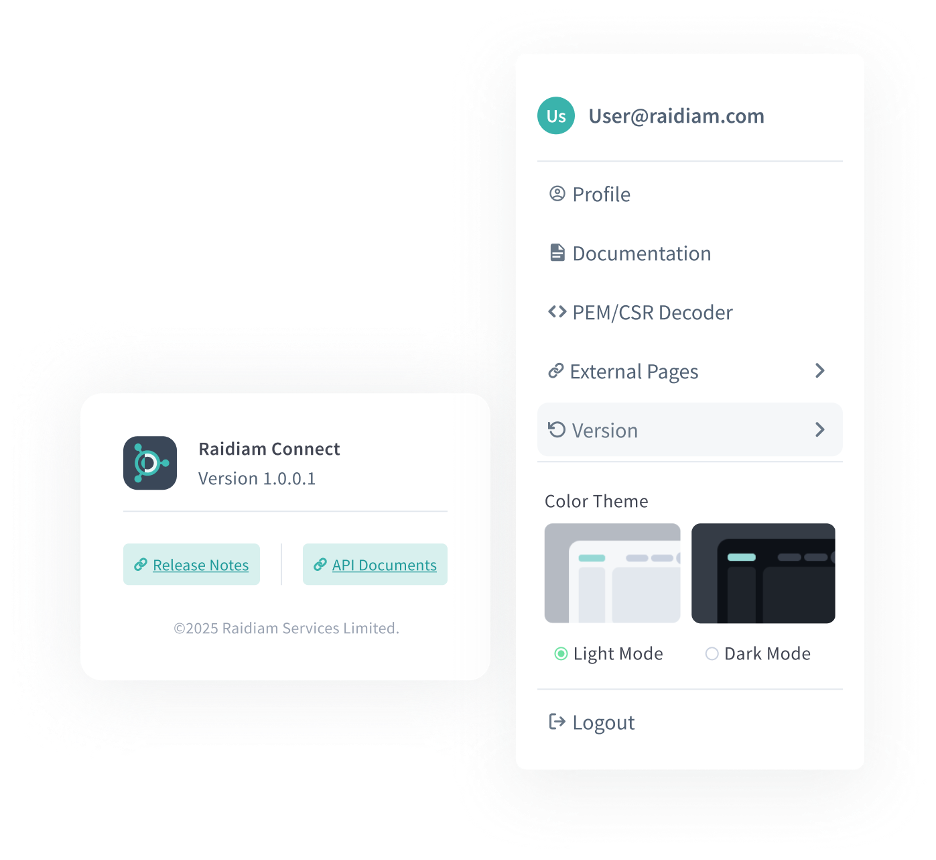
The current directory version is now displayed in the UI via the profile menu. Clicking "Versions" opens a modal showing the active release version, with direct links to the Release Notes and API Documentation for quick reference.

Server Roles

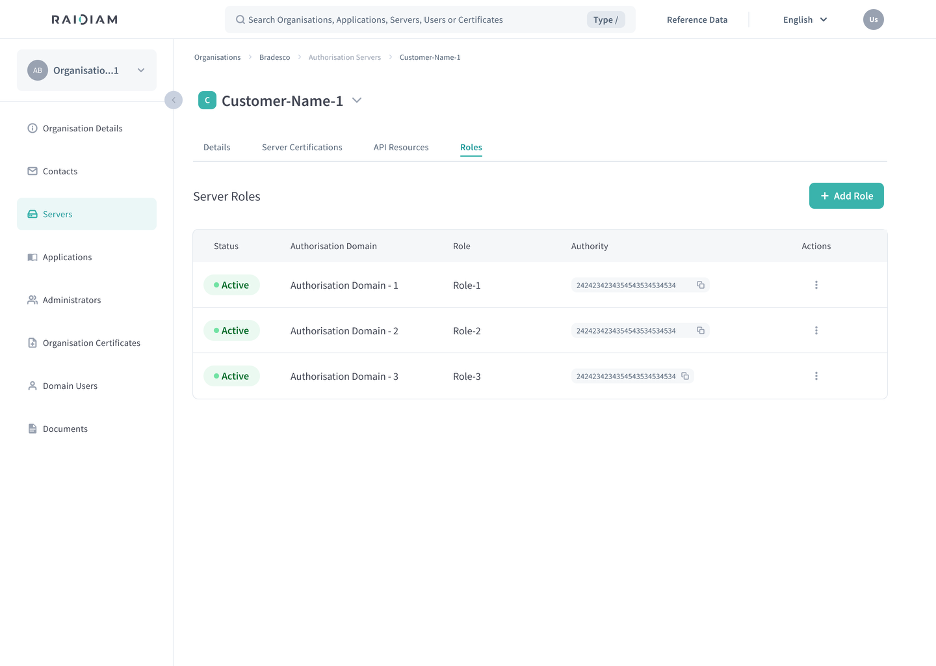
Authorisation Servers now include a dedicated Roles tab, mirroring the existing Application Roles experience. The tab displays relevant information about associated domains, roles, and authorities, and allows administrators to add and manage server roles directly from the server detail view.

Improved OTP Validation in Onboarding

The onboarding verification flow has been updated to separate email and phone OTP validation into distinct steps and screens. Email is now validated first, followed by phone where applicable. If phone OTP is not configured in the environment, it is no longer required during registration and is not shown in the UI. Validation messaging dynamically reflects which channels were used.

New Scope for Audit Log Access Across Organisations

A new `directory:software:audit` scope has been introduced to support automated retrieval of audit logs via client credentials, without relying on a human user account. Organisation Administrators can now use an Application with a role containing this scope to query the `GET /audit` endpoint and access audit log data from other participants in the ecosystem.

Enhancements#

Disabled Action Icon in Cards When Unavailable

The action icon on Organisation, Server, and Application cards is now visually disabled when the action is not available to the current user. A tooltip is displayed to clarify the reason: inactive items show "Actions cannot be performed on this item" and users without the necessary permissions see "Only users with the correct permission can interact with this item."

Updated Toggle Design

Toggle controls across the Directory have been updated to align with the design system, delivering a refreshed and more consistent visual appearance.

Responsive Search Bar

The search bar now adapts its size responsively across screen sizes. On mobile, it is scaled to fit smaller screens while remaining usable. On laptop and ultra-wide displays, it scales dynamically to fit its container, whether or not additional controls are present alongside it.

Paginated Certification Types Dropdown

The Certification Type and Certification Type Variant dropdowns on the New Certification dialog for Servers and Applications now support auto-complete and pagination, improving performance and usability when working with large numbers of certification types.

Scroll to Error Behaviour

Forms within dialogs now automatically scroll to the first error field when the user advances to the next step and validation fails. The page scrolls smoothly to the relevant field, inline errors are clearly visible, and the error summary remains at the top of the dialog for context.

Bug fixes#

Improved Global Search Feedback

Fixed an issue where opening the global search bar and typing immediately would briefly display a "No results for..." message before the search had completed. The interface now correctly shows a "Searching..." state while a query is in progress, and the no-results message is only shown once a completed search returns no matches.

API Metadata Schema Duplication Across API Families

Fixed an issue where configuring API Resource Metadata at the authorisation server level would incorrectly apply the same schema to multiple distinct API Families until the page was refreshed. Each API Family now correctly reflects its own configured metadata schema without requiring a page reload.

API Resources Metadata Permission Fix

Fixed an issue where organisation users with the appropriate type access were unable to update API Resource Metadata on an Authorisation Server. The permission configuration has been updated to include the required user type access rule, aligning it with access controls used across other Authorisation Server operations.

2.1.0#

This release introduces improvements to application management, federation visibility, API family configuration, and mobile usability. It also includes multiple fixes addressing validation issues, endpoint generation behaviour, and user interface consistency across the Directory.

New features#

New Application Details Experience

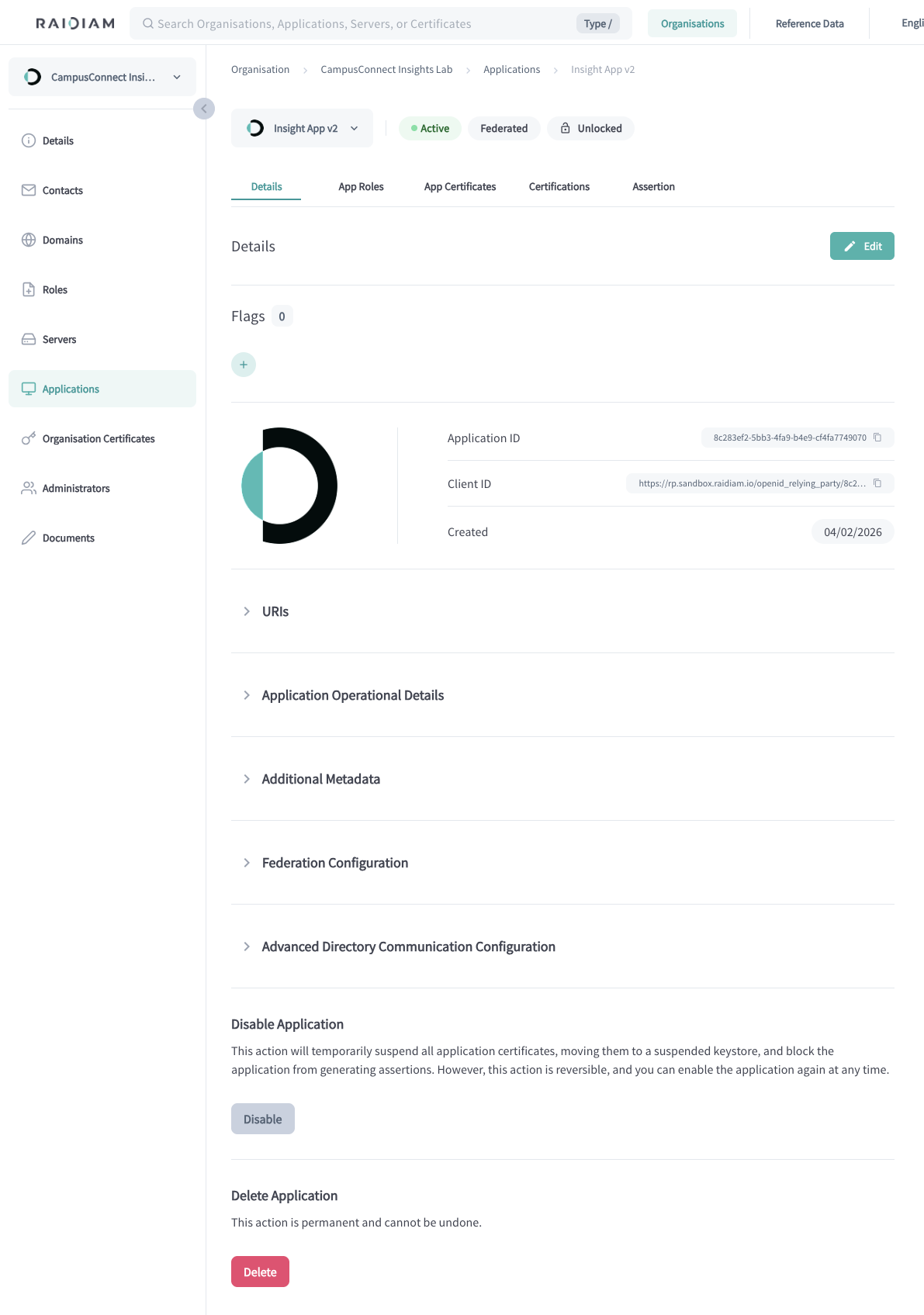
The Application Details page has been redesigned to present information in a clearer and more structured layout. Key information such as flags and core application details is now displayed prominently at the top of the page, while detailed sections are collapsed by default to improve readability and navigation.

Identity Provider (IDP) Creation Wizard

A new guided wizard simplifies the process of creating Identity Providers. The wizard provides clearer visual feedback during configuration and consolidates the creation of an IDP and its version into a single flow, making the setup process more intuitive.

Federation Visibility for Applications

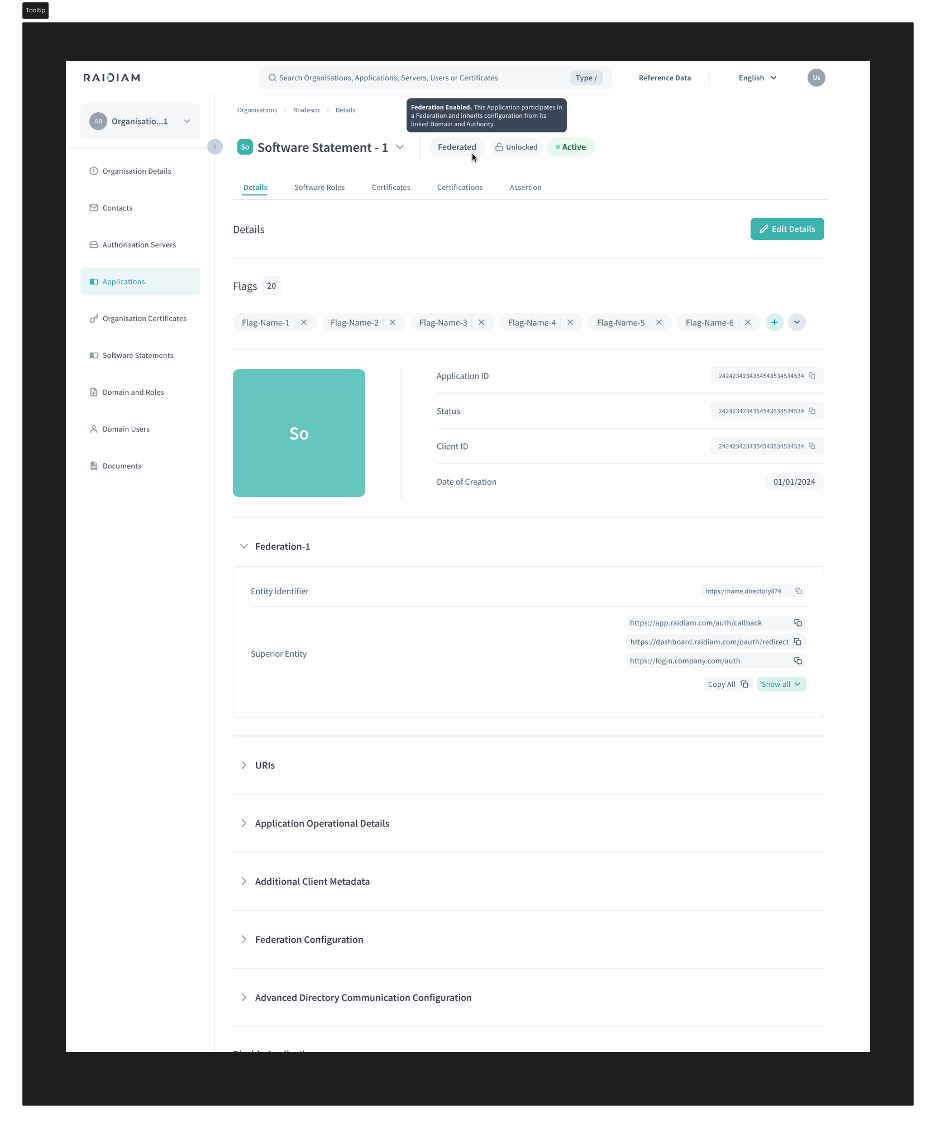
Applications that participate in a federation now display clear visual indicators within the UI. A Federated tag is shown on the application page, and a collapsible section provides visibility into the federation hierarchy, including the current entity, parent entity, and trust anchor.

Enhancements#

API Families Configuration Clarity

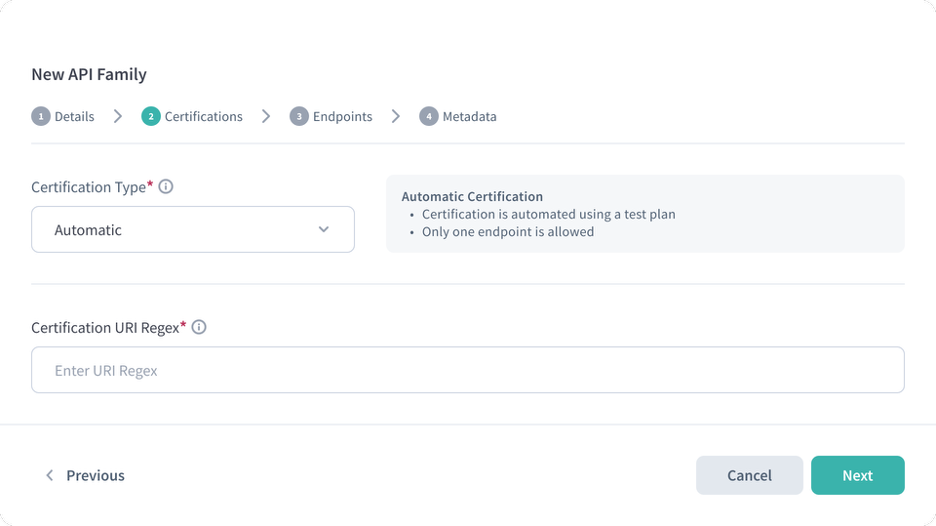
Additional helpers and contextual guidance have been introduced when configuring API Families, helping users better understand certification types and configuration requirements during creation.

Improved Mobile Navigation

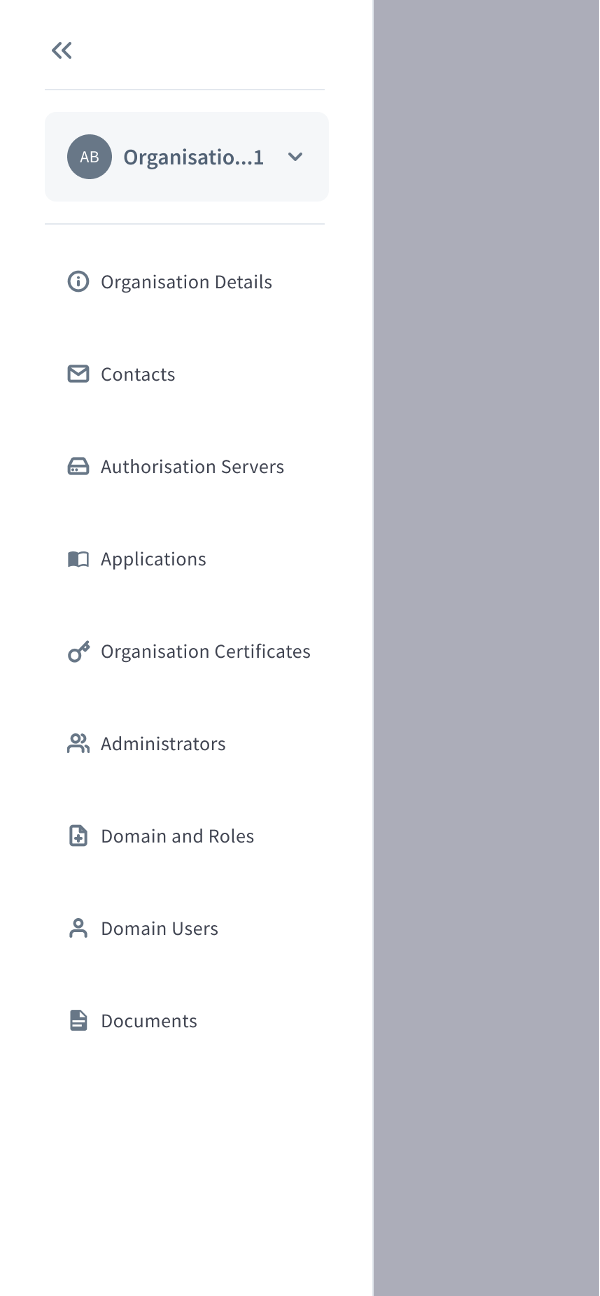
The sidebar behaviour on mobile devices has been redesigned to better match expected interaction patterns. The sidebar now opens as a partial overlay instead of a full-screen panel, allowing users to maintain context with the underlying page while navigating.

Prepopulated Configuration Fields

Certain configuration forms now support prepopulated values, reducing manual input and improving consistency when creating new resources.

Improved Endpoint Generation in Wizards

Endpoint generation logic has been improved when creating API resources through the wizard. The system now correctly generates endpoint patterns based on the actual API version and properly handles version numbers and dot notation within endpoint paths.

Bug fixes#

Application Assertion Confirmation

Fixed an issue where the "Generating Assertion" confirmation dialog was incorrectly displayed when generating an assertion for an already locked application. The confirmation dialog is now only shown when appropriate.

Domain Mapping Validation Feedback

Fixed an issue where disabling a Domain Mapping that was still in use did not display the error returned by the API. Users now receive clear feedback when the action cannot be completed.

Authorisation Server IDP Configuration Button

Fixed an issue where the Add IDP Configuration button remained enabled even when the Authorisation Server was inactive. The button is now correctly disabled when the server is not active.

Suspended Application Deletion

Fixed an issue preventing suspended applications from being deleted directly from the Application Details page.

Domain Users Page Refresh

Fixed an issue where updates to Domain User information were not reflected immediately in the interface until the page was refreshed.

Flag Confirmation Dialog Text

Corrected wording in the Disable Flag confirmation dialog, where the term "certification" was incorrectly displayed instead of "flag".

API Family Endpoint Validation

Resolved several issues related to API Family configuration, including preventing duplicate endpoint definitions, correcting version handling for generated endpoints, and improving validation when defining endpoint patterns.

Reference Data Role Validation

Fixed an issue preventing the creation of Authorisation Domain Roles when the description exceeded the allowed character limit. Validation now correctly enforces the maximum supported length.

2.0.0#

This release introduces new ecosystem configuration capabilities, clearer metadata visibility, and usability improvements across the Directory UI, alongside multiple fixes improving stability, validation, and administration workflows.

New features#

API Families Configuration via Reference Data

API Families can now be configured through Reference Data to control which API families are available in the ecosystem. This allows ecosystem operators to centrally manage supported API families and provides participants with a clear, authoritative view of available APIs.

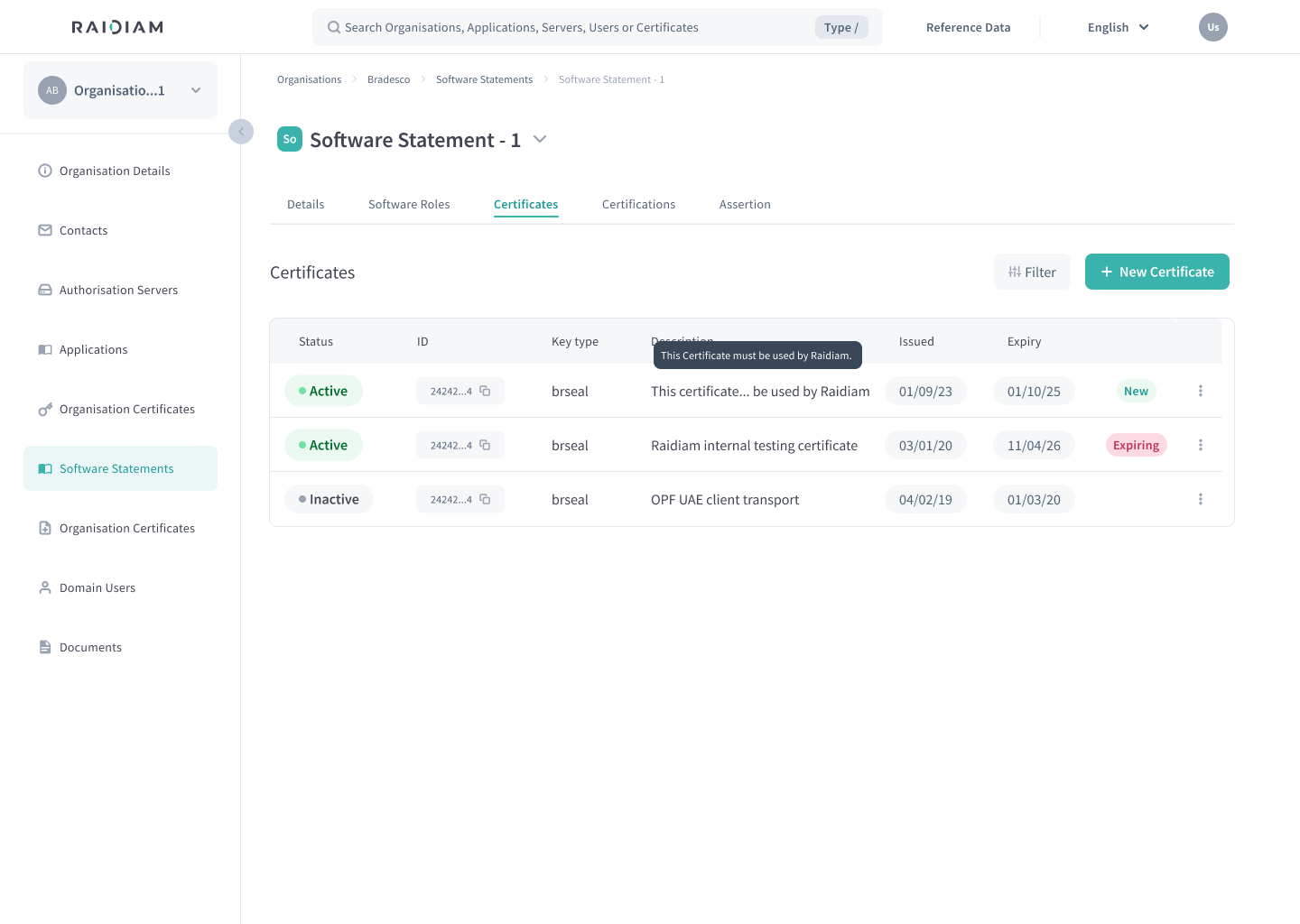
Certificate Description Field

Certificates now support a Description field to help identify their purpose. The Description can be provided during certificate creation and updated later, improving clarity for participants managing certificates across multiple environments.

Authorisation Server Details Experience

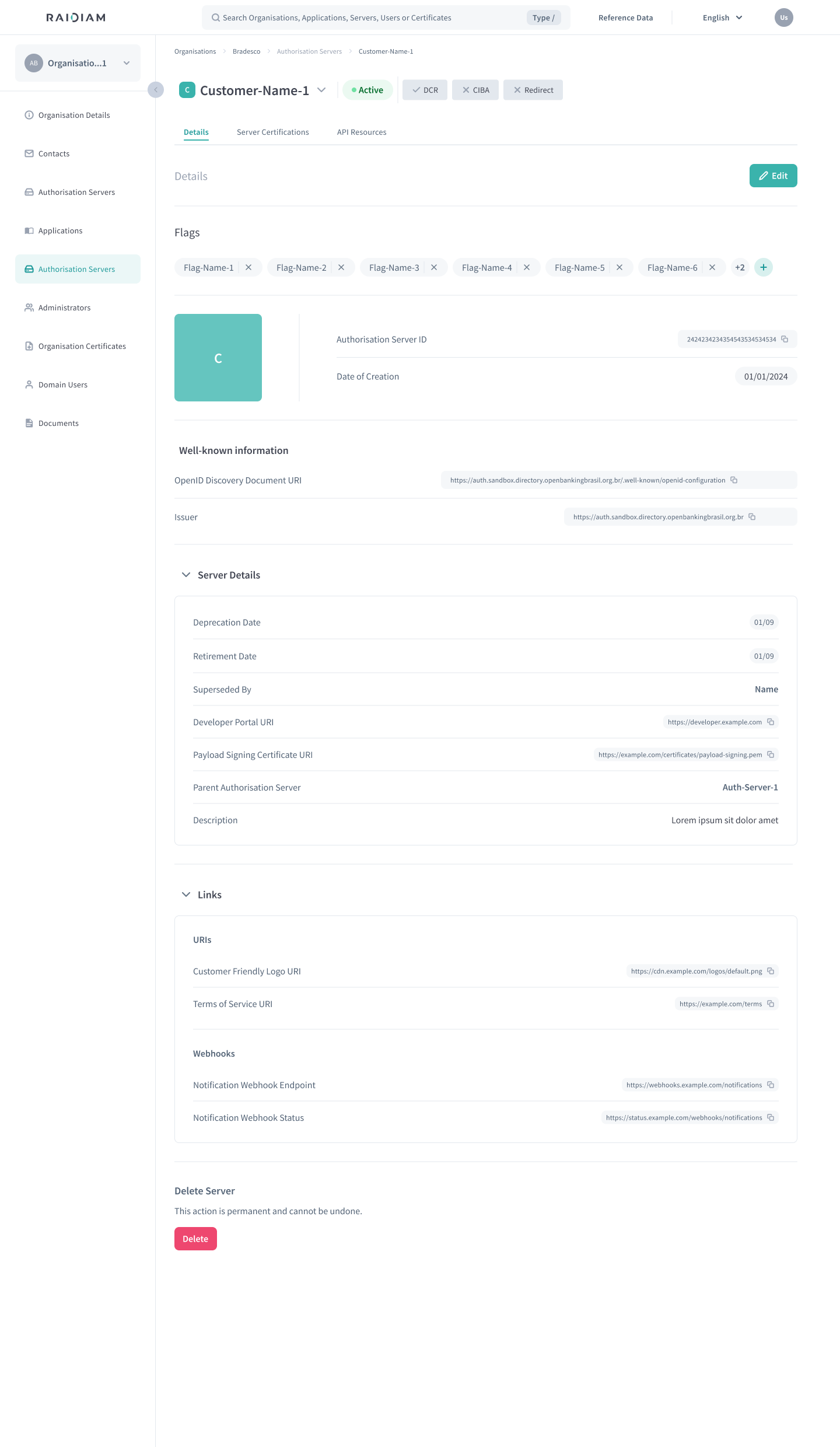
A redesigned Authorisation Server details page introduces a clearer, more structured layout. Key information such as flags and core server details is easier to identify, with sections grouped and collapsed by default to improve readability.

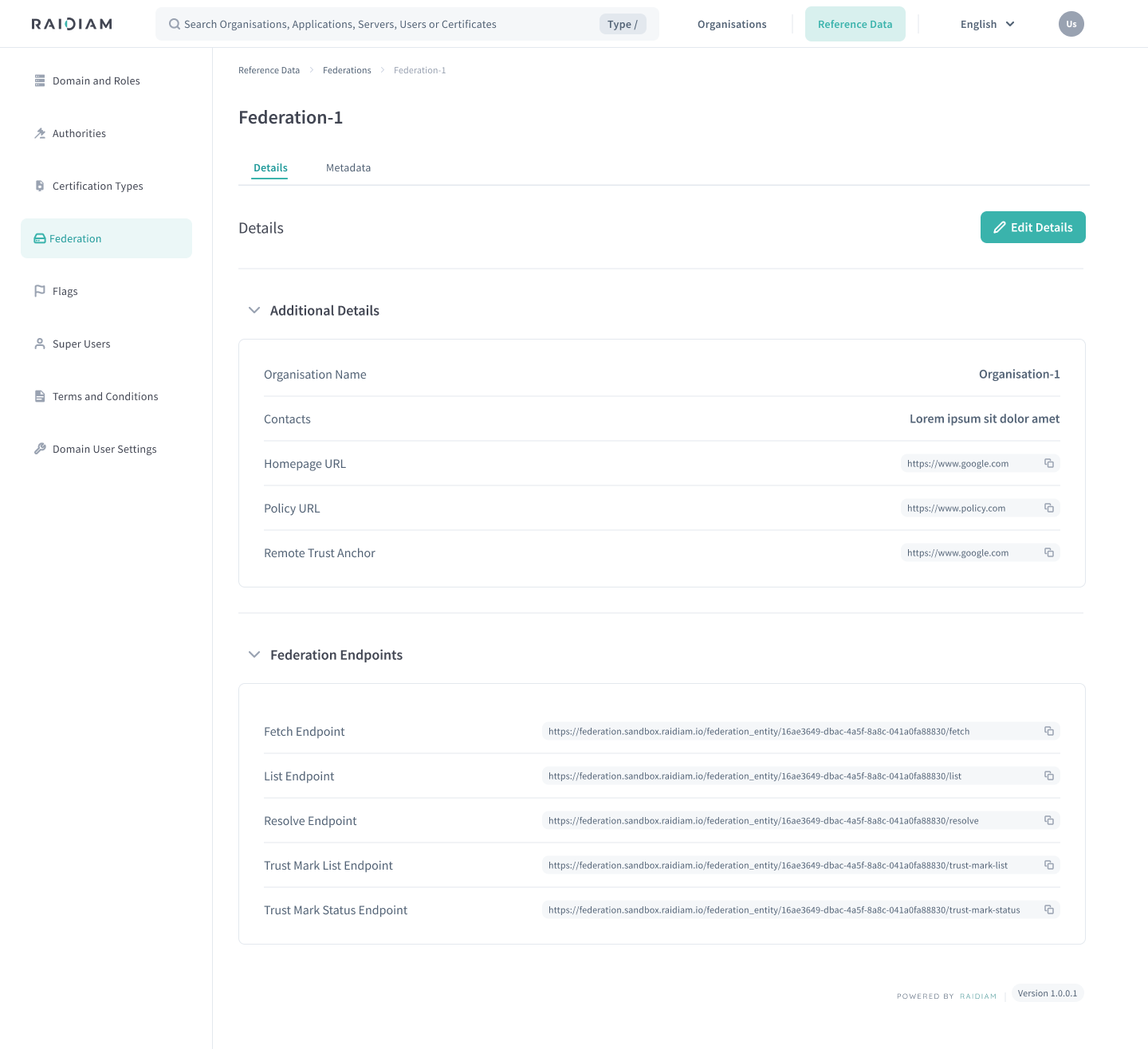
Federation Endpoint Visibility

Federation details now display all relevant federation endpoints instead of only the Fetch endpoint. This improves transparency when configuring, validating, and troubleshooting Federation integrations.

Enhancements#

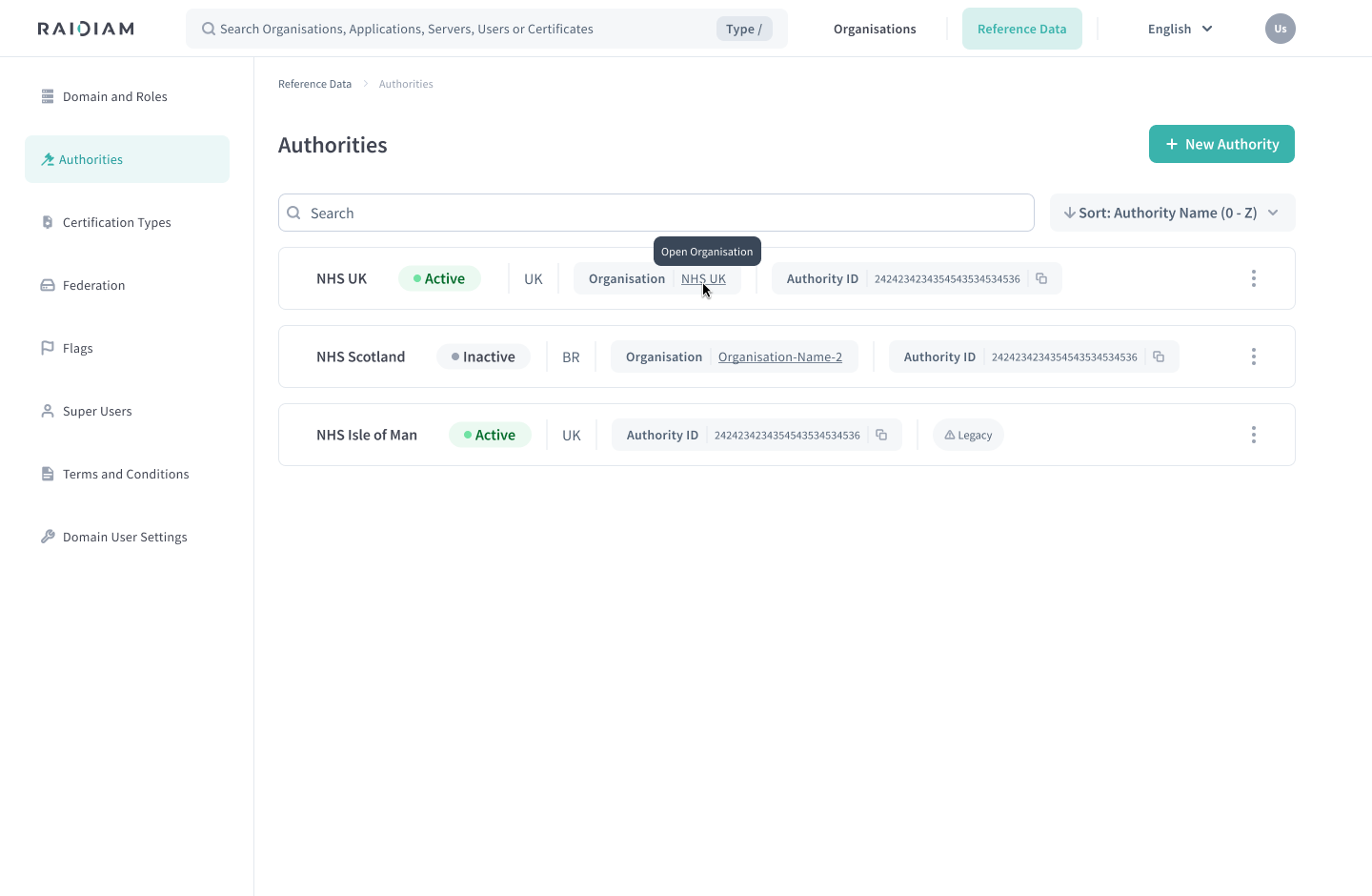
Authority Organisation Context

Authorities now clearly indicate which Organisation they belong to when viewed under Reference Data. When applicable, an Organisation tag links directly to the associated Organisation. Legacy Authorities include an explanation clarifying that they were created under the previous model and are retained for reference and migration purposes.

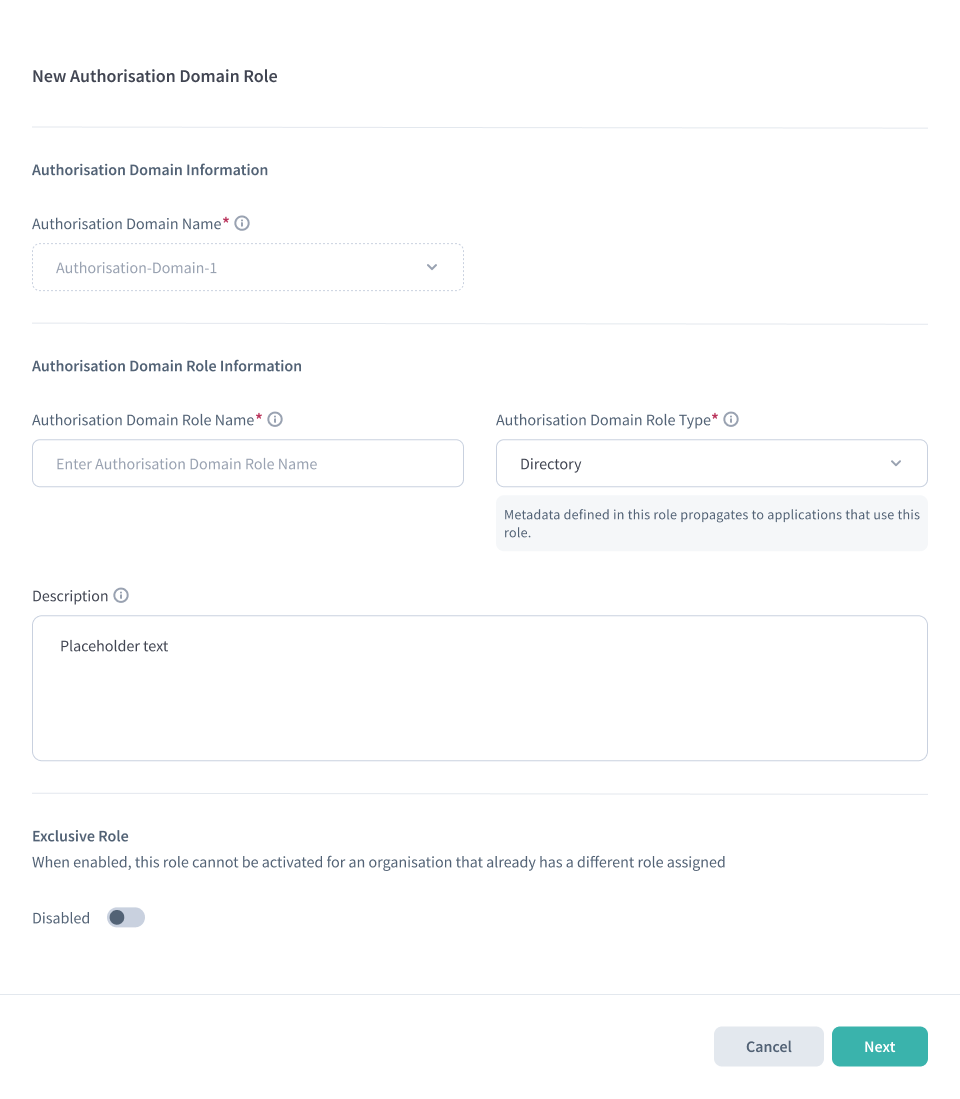
Role Type Clarity

The UI now clearly explains the difference between Federation roles and Directory roles, including how metadata behaves differently between them. This reduces confusion when role metadata does not propagate for Federation roles.

Layout & Usability Improvements

Several Directory pages now use a unified layout with improved spacing, pagination, and visual consistency, including Organisations, Authorisation Mapping, Domain Users, Terms & Conditions, and Audit History. Navigation clarity and overall readability have been improved across these areas.

Organisation Creation Flow Standardisation

The legacy "New Organisation" button has been removed, and the guided Organisation creation wizard is now the standard way to create Organisations.

Standardised Enable / Disable Terminology

Action labels across the Directory have been standardised to Enable / Disable to improve clarity and consistency when managing resources.

Terms & Conditions Management

Data Administrator users can now manage the "Participant Terms & Conditions Signing required?" setting when editing Organisations. See Terms & Conditions for more details.

Logo Upload Experience

Logo uploads now display an image preview before saving. Drag-and-drop uploads are consistently supported across Organisations, Servers, and Applications.

Bug fixes#

Fixed missing actions for approved IDP versions

Resolved an issue where actions were not displayed for approved IDP versions.

Fixed Organisation ID regeneration issues

Resolved issues affecting Organisation ID regeneration during the Organisation creation flow.

Fixed unnecessary duplicate backend requests

Eliminated duplicate backend requests in Reference Data pages to improve performance.

Fixed validation gaps in Authorisation Server configuration

Improved validation when configuring Authorisation Servers to prevent invalid configurations.

Fixed flag management and configuration visibility

Resolved issues affecting flag management and configuration visibility across the UI.

Fixed icon visibility issues

Corrected icon visibility issues across the UI for improved visual consistency.

Fixed Federations page access when Federations disabled

The Federations page is no longer reachable when Federations are disabled in the ecosystem.

Improved Application edit performance

Reduced unnecessary backend calls when editing Applications to improve performance.

Fixed Organisation filtering issues

Resolved filtering issues when using My Organisations filter.

Fixed incorrect placeholder text in document signing dialogs

Corrected placeholder text displayed in document signing dialogs for clarity.

Fixed missing required field indicators

Added missing required field indicators in Application configuration screens to improve form clarity.

General stability improvements

Multiple stability, consistency, and reliability improvements across the Directory UI.